Unenrolling a participant from a user view
Unenrolling from a group keeps the participant information within that group.
NOTE: Unenrolling a participant from a group will remove transactions for future months (e.g., unenrolling a participant on 30.09 will remove transactions for October, November, etc.).
To unenroll a participant from the participant view:
1. Expand the “LUDO” tab from the side menu.
2. Select the “Participants” tab.
3. From the user list, select the participant you are interested in and click their ID, first name, or last name.
4. In the “DATA” tab, find the group information.
5. Select the group from which you want to unenroll the participant.
6. Click the pencil icon.
7. Enter the unenrollment date and click “Save.”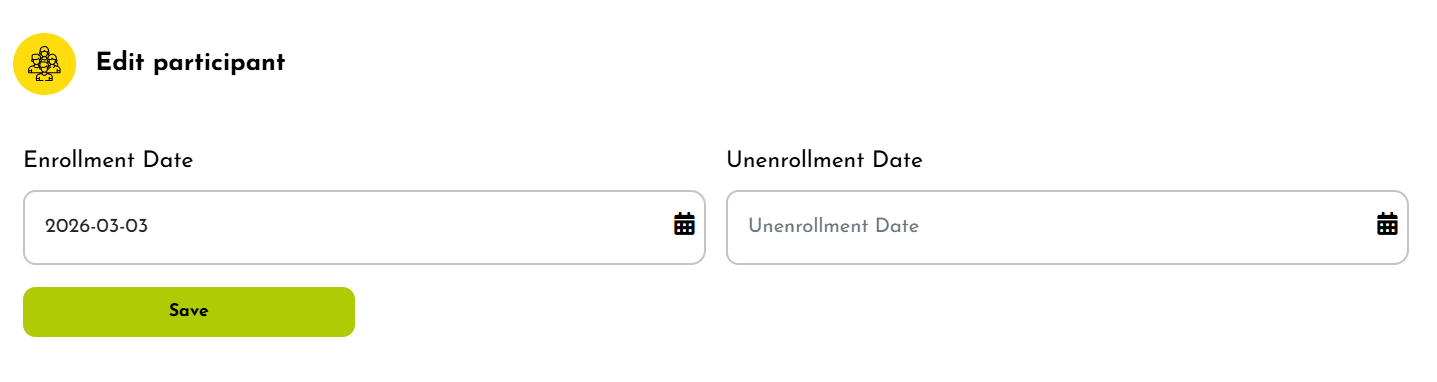
Related Articles
Deleting a participant
To delete a participant: 1. Expand the “LUDO” tab from the side menu. 2. Then select “Participants.” 3. A list of participants will be displayed. Select the participant you are interested in and go to the activities column. 4. Click the trash bin ...Activating a participant
After completing the registration form, the user is placed in the Waiting Room, where they can be converted into an active participant. To activate a participant: 1. Expand the “LUDO” tab from the side menu. 2. Select “Waiting room.” 3. A list of ...Bulk actions on the participant List
Mondo Infano allows you to perform bulk actions on the participant list, such as: adding participants to a group, bulk archiving and restoring from bulk archiving, sending messages This enables faster and more efficient participant management. To ...Restore a suspended participant
To restore a suspended participant: 1. Expand the “LUDO” tab from the side menu. 2. Select “Participants.” 3. A list of participants will be displayed. Suspended participants are marked in yellow. 4. Select a suspended participant by clicking their ...Suspending a participant
A participant is suspended in case of unpaid obligations. This information is communicated to parents, administration, and class instructors. To suspend a participant: 1. Expand the “LUDO” tab from the side menu. 2. Select “Participants.” 3. Click on ...